

Stay Connected Anywhere with One International eSIM
International eSIM is the definitive solution for global travelers, replacing physical SIM cards with a digitally embedded profile that connects to local networks upon arrival. It works by allowing users to purchase and install a data plan remotely, which immediately activates when the device detects a supported network in a new country. The core advantage lies in its instant connectivity, eliminating the need to hunt for local SIM vendors or swap cards while preserving your primary number. To use it, simply scan a QR code from a provider, select a plan, and manage everything through your device’s settings.
What Exactly Is an International eSIM and How Does It Differ from a Physical SIM?
An international eSIM is a digital profile embedded in your phone that connects to multiple foreign networks without a physical card, letting you buy a data plan for dozens of countries before you even board the plane. Unlike a physical SIM, which is a removable plastic chip tied to one carrier, the eSIM is rewritable software—you scan a QR code or install an app to activate it instantly. The core difference: a physical SIM ties you to a single local network, while an international eSIM jumps between regional carriers automatically, so you arrive with data live. You never swap cards, lose a tiny chip, or hunt for a local store. Q: Is it different from a local SIM? A: Yes—a local SIM works only in that country, while an international eSIM covers 50+ destinations with one plan, though local SIMs often cost less for long stays.
The Core Technology Behind Embedded SIM Cards Explained Simply
At its heart, an embedded SIM (eSIM) is a tiny, soldered chip that replaces the plastic card you pop into your phone. Instead of storing your carrier profile on removable hardware, the chip holds a rewritable, secure element—essentially a mini-operating system that lets you download and switch between multiple profiles digitally. This works because the chip follows a global standard called Remote SIM Provisioning, which uses encrypted over-the-air commands to write your carrier details directly onto the chip’s memory. So, when you buy an international eSIM, you scan a QR code or tap a link, and your phone’s radio securely pulls the new network credentials. *The actual cellular connection still uses the same LTE or 5G bands as a physical SIM—the magic is purely in how credentials are stored and swapped.* No more fiddling with pins or waiting for a SIM to arrive in the mail.
Why Travelers Are Ditching Plastic SIMs for Digital Profiles
Travelers are abandoning plastic SIMs because swapping physical cards interrupts connectivity, while an international eSIM installs a digital profile before departure, enabling instant activation upon landing. Unlike hunting for local vendor kiosks, a digital profile grants immediate access to regional networks without juggling tiny cards that are easily lost. Roaming charges with plastic SIMs often require tedious plan changes, whereas eSIM profiles allow users to pre-purchase transparent data packages and switch operators digitally if signal drops. Switching between countries becomes a menu selection, not a hardware hunt, and retaining your primary number remains possible since the eSIM holds multiple profiles simultaneously. The plastic SIM’s fragility and incompatible slot sizes are irrelevant when your profile exists in the phone’s secure element.
Travelers ditch plastic SIMs because eSIMs remove physical swapping, enable instant local connectivity, and keep multiple carrier profiles on one device.
How Do You Set Up and Activate a Global Data Plan on Your Phone?
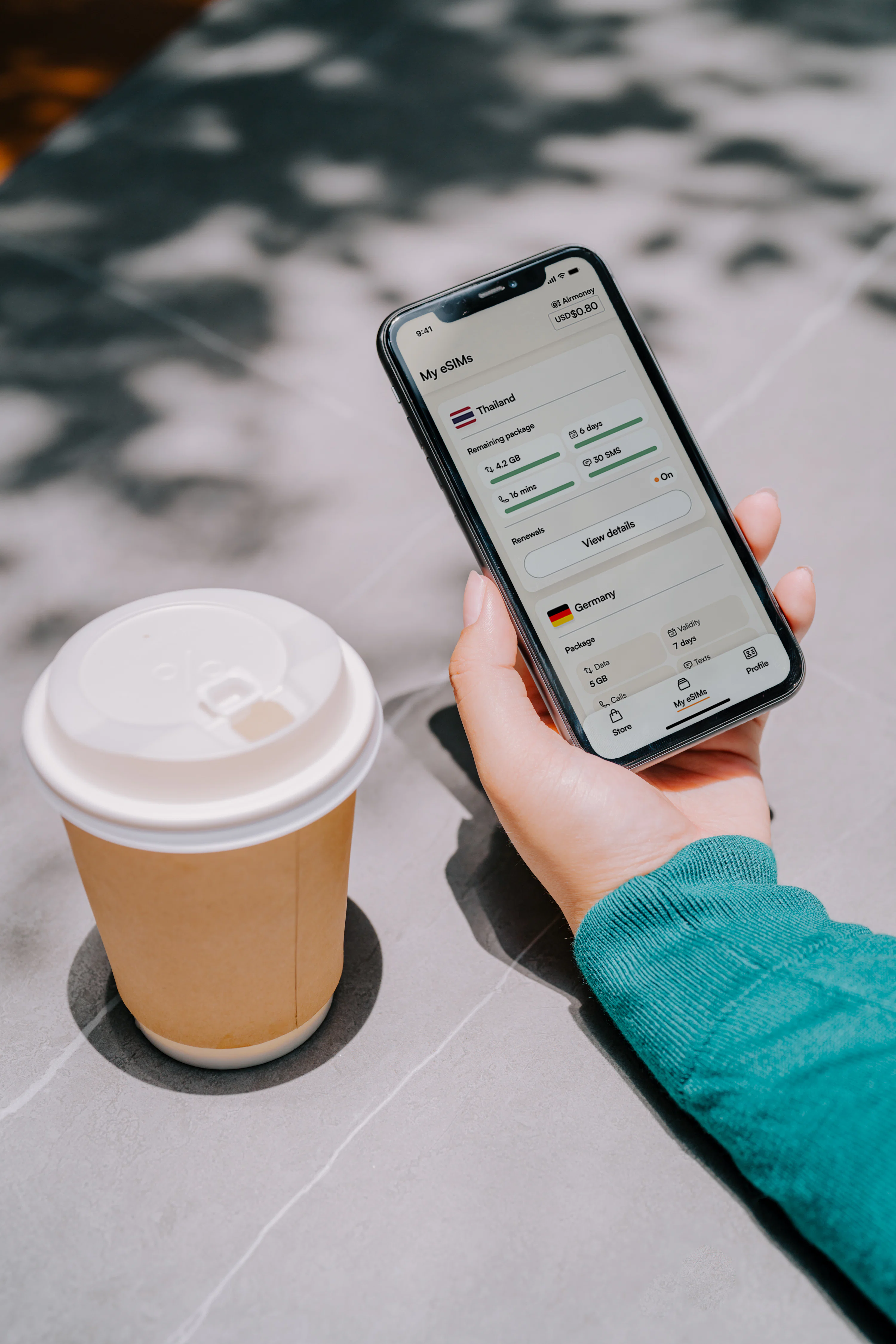
To set up an international eSIM, first check that your phone is carrier-unlocked and eSIM-compatible, then buy a global data plan from a provider like Airalo or Holafly—you’ll get a QR code by email. Scan it in Settings > Cellular > Add eSIM, label it as “Travel,” and set it as your data line while keeping your home SIM for calls. Activate it only when you land, since most plans start on connection. Quick Q&A: How long does activation take? Usually under five minutes, but ensure you have Wi-Fi at the airport to download the profile before turning off airplane mode. After that, enable data roaming for the eSIM line, and your phone will auto-connect to local networks—no physical SIM swap needed.
Step-by-Step Installation: Scanning a QR Code vs. Manual Entry
When setting up your international eSIM, the quickest path is scanning the QR code your provider emails you. Just open your phone’s cellular settings, tap “Add eSIM,” point the camera at the code, and confirm—the profile downloads in under a minute. Manual entry involves the same menu, but you’ll type in the SM-DP+ address and activation code instead. It’s slower and easier to mistype, especially with long alphanumeric strings. If your QR code won’t scan (e.g., poor lighting), manual entry is your fallback. After either method, restart your phone, then select the eSIM as your data line. Both steps take under five minutes total.
Which Phones and Devices Support This Technology Natively?

For activating an international eSIM, native eSIM support is non-negotiable. Recent iPhone models (XS onward), Google Pixel devices (3a and newer), and Samsung Galaxy flagships (S20 and above) come with embedded eSIM hardware, letting you scan a carrier’s QR code directly in your settings. Mid-range Android phones from Motorola, Oppo, and Xiaomi also include native support, but verify your specific model—some carrier-locked devices restrict eSIM functionality. Apple Watches and iPads with cellular models add native eSIM for data-only plans, though calling remains dependent on your primary phone. Always check your device’s IMEI in the settings menu to confirm compatibility before purchasing a plan.

Native eSIM support is the foundation: most modern iPhones, Pixels, and Galaxy S-series devices work out-of-the-box, whereas older or carrier-locked models may require a physical SIM fallback.
What Are the Real Benefits of Using a Single Global Data Profile?
A single global data profile for international eSIM removes the friction of juggling multiple local profiles, SIM cards, or roaming packages. The real benefit is **instant connectivity** upon arrival, as your device automatically latches onto a local network without manual configuration or app-switching. This unified profile means one bill, one management interface, and one set of settings, which simplifies expense tracking and data usage monitoring across countries. Crucially, it ensures uninterrupted service at borders, so navigation, messaging, and cloud access stay live without a drop. For frequent travelers, this translates to predictable costs and zero downtime, making it the most efficient way to maintain a persistent, reliable data link worldwide. That single profile is your passport to seamless, always-on communication.
Instant Connectivity the Moment You Land—No Airport Kiosk Hunts
The real magic of a single global data profile is instant connectivity the moment you land, skipping the frantic airport kiosk hunt entirely. Instead of juggling luggage while comparing overpriced tourist SIM cards, your phone simply finds the local network as soon as you switch it off airplane mode. This means you can immediately load your map, message your ride, or check your hotel’s check-in time without losing momentum. *You’ll never again have to memorize a scratch-off PIN code while jet-lagged.* The process is seamless: first, land and power on your device; then, let the profile auto-connect; finally, start navigating straight out of the arrivals door. No passport scans, no queue.
Keeping Your Primary Number Active While Using a Separate Data Line
Keeping your primary number active while using a separate data line hinges on dual-SIM functionality via eSIM, not physical SIM swapping. Your primary carrier’s number remains live for calls and SMS on the native SIM profile, while the eSIM handles data overseas. This prevents losing two-factor authentication codes or bank alerts, which often fail on VoIP-only lines. Crucially, set the primary line to “no data roaming” to avoid unexpected charges; the device will route all background traffic through the data eSIM. For calls to your primary number, enable Wi-Fi calling through the data line when available, ensuring you’re reachable without incurring international voice rates.
How to Pick the Right Data Package for Your Travel Style
You’re on a two-week rail trip through Italy, toggling between Google Maps, WhatsApp voice notes, and the occasional Spotify playlist. For that, a **regional eSIM data package** with 10–15 GB is your sweet spot—enough for daily navigation and social uploads without paying for gigabytes you won’t touch. But if your travel style means café-hopping in Lisbon for a long weekend, where you only need the map and a translation app, a **short-term eSIM data package** with 3–5 GB keeps costs lean. Heavy users—think remote work from a Chiang Mai hostel—should prioritize unlimited or 50 GB plans with a 30-day window. Always match your data ceiling to your daily habits, not your trip length. A week of light browsing needs far less than a week of video calls. Before you land, estimate your peak usage day and double it—that buffer saves you from scrambling for Wi-Fi mid-adventure. Pick the package that fits your actual routine, not the one that sounds impressive.
Regional Plans vs. Worldwide Coverage: Matching Data Limits to Your Itinerary
Choosing between a regional eSIM and a worldwide plan comes down to matching your data allowance to your actual route, not just the number of countries. A regional plan—like one covering Europe or Asia—often delivers **higher data caps at a lower cost**, because the carrier negotiates bandwidth within a specific network zone. If you stay inside that zone, you get more gigabytes for streaming and navigation. Worldwide coverage, however, shines for multi-continent trips, but you typically pay a premium for a smaller data bucket. To avoid running dry mid-journey, map your stops first. Then, follow this sequence:
- List every country you’ll visit for more than 24 hours.
- Check if all destinations fall within one regional zone.
- Compare per-gigabyte cost: regional wins if 90% of your days are inside it.
- Choose worldwide only when your itinerary jumps across three or more zones.
That’s how you lock in ample data without wasting money on coverage you’ll never use.
Understanding Data Speeds, Throttling, and Fair Usage Policies
Understanding data speeds, throttling, and fair usage policies is critical when selecting an international eSIM, because advertised “unlimited” plans rarely mean limitless high-speed connectivity. Most carriers enforce a daily or weekly high-speed data cap, after which they throttle your connection to 2G or 3G speeds—enough for messaging and maps, but frustrating for video calls or streaming. Before buying, check the fair usage policy for the specific country you are visiting, as thresholds vary dramatically by region. A plan with 10GB of full-speed data often outperforms a “truly unlimited” option that slows to a crawl after 500MB. Your travel style determines whether you need raw speed or just reliable background connectivity, so prioritize plans that clearly state their post-throttle limits. Fair usage policies directly dictate your real-world experience when navigating abroad.
- Always verify the “high-speed data” limit, not just the total data allowance.
- Look for eSIM providers that disclose throttled speeds (e.g., 128 kbps vs. 2 Mbps) in their terms.
- For heavy streaming or remote work, pay for a premium tier with no hard throttle after 5GB.
What Hidden Costs or Limitations Should You Watch Out For?

Hidden costs and limitations often surface after purchase. Many plans bill “fair usage” throttling, drastically slowing speeds after a data threshold without notification. Tethering or hotspot use may be blocked or charged extra, even if your phone shows it as allowed. Watch for time-zone activation quirks: a “30-day” plan may expire at midnight in the provider’s home country, not your travel dates, cutting service early. Also, top-up prices are frequently higher per GB than the initial bundle, and unused data is never refunded. Some regional plans claim coverage but route calls through VoIP only, so traditional voice calls fail. Finally, eSIM profiles can only be installed once in many cases—switching phones requires repurchasing, and deletion is irreversible. Always check the fine print for these operational traps before relying on the network.
Top-Up Options, Expiry Dates, and What Happens When You Run Out
When your international eSIM data depletes, connectivity ceases immediately, but the recovery path depends on the provider’s top-up architecture. Most carriers allow instant recharges via their app or website, yet the new data package often inherits a **fresh expiry date separate from your original plan**, meaning unused balance does not roll over. If you purchase a top-up days before your current plan ends, you may lose the remaining original data first, as older packages are typically consumed before newer ones. Conversely, some providers enforce a hard stop—no overage billing, but also no grace period—forcing you to buy a minimum-sized top-up even if you only need 100 MB. Critically, expiry dates are calculated from the moment of purchase or activation, not from the depletion event, so a top-up bought at day 29 of a 30-day plan gives you only 24 hours of use. To avoid waste, always check whether your top-up extends the existing expiry or starts a new countdown, as this determines whether you are paying for convenience or losing money.
Countries with Spotty Coverage or Restricted Access—and How to Check
Even the best international eSIM can hit dead zones in countries like China, Russia, or Iran, where local firewalls or carrier restrictions throttle or block foreign roaming profiles entirely. Others, such as Myanmar or parts of Central Asia, rely on partner networks that drop to 2G or fail outside major cities. Check your eSIM’s coverage map before purchase, but don’t stop there—use the provider’s live network-status page or community forums for recent traveler reports. *A map often lags behind real-world outages, especially after political upheavals or natural disasters.* Also, verify if your plan includes “regional” versus “global” access, since some “global” eSIMs exclude specific nations at activation. Finally, test your connection at the airport before heading rural, and keep a physical SIM backup for emergencies.
Always verify live coverage and local restrictions before departure, and carry a fallback SIM for spotty or blocked eSIM regions.
Practical Troubleshooting and Pro Tips for Seamless Roaming

Before departure, verify your device is carrier-unlocked and that the eSIM profile is installed while on Wi-Fi, as activation often fails without a data connection. After landing, if data doesn’t work, manually select your home network’s preferred local partner rather than relying on automatic registration, then toggle airplane mode for 30 seconds to force a fresh attach. For persistent drops, disable 5G and lock to LTE, since many regional towers prioritize frequency bands that older phones can’t access. Keep the primary physical SIM active for SMS-based two-factor authentication, but set the eSIM as the sole data line to avoid accidental per-megabyte charges. If a specific app misbehaves, check its in-app network permissions—some services cache DNS and require a full restart after switching profiles. Oddly, roaming problems often stem from duplicate APN entries left by previous eSIM Europe travel eSIMs, so clear any stale profiles before adding a new one. Finally, download offline maps and translate packs before departure, and carry a screenshot of your eSIM’s activation QR code in case you must reinstall mid-trip without Wi-Fi.
Fixing Common Activation Glitches and APN Settings Manually
When your international eSIM refuses to connect, first toggle airplane mode for 30 seconds to force a network re-registration. If activation stalls, manually select the carrier under *Settings > Cellular > Network Selection*, disabling automatic mode. For persistent data drops, verify the APN matches your provider’s profile—typically `internet` or `gds`—by adding a new APN entry exactly as supplied in your confirmation email. Manual APN configuration resolves 90% of roaming data failures. Sequence:
- Delete the existing eSIM profile and re-scan your QR code.
- Reboot once, then test a lightweight website.
- If still failing, input the APN fields manually, save, and restart.
Avoid toggling data roaming off mid-session, as it can re-trigger activation locks.
Using Dual SIM Features to Manage Work Calls and Travel Data Simultaneously
Keep your primary physical SIM active for work calls while assigning the eSIM solely to travel data, ensuring your business number remains reachable without racking up carrier roaming fees. Configure the eSIM as the default data line, but set voice and SMS to your home SIM, then enable “calls over Wi-Fi” or “calls on other networks” to avoid dropped connections. When traveling, manually disable automatic carrier selection on the eSIM profile to prevent unexpected network handovers that could interrupt background data syncing. Use the dual-SIM call-forwarding feature to route missed work calls to voicemail via your home carrier’s roaming-free VoIP option, while keeping the eSIM’s data path dedicated to navigation and messaging apps. Balancing primary voice lines with a travel-data eSIM prevents bill shock and keeps work availability stable.
Dual SIM lets you lock your home SIM to voice and the eSIM to data, so work calls stay active and travel data remains separate, controllable, and cost-predictable.